
Reimagining SketchUp for iPad
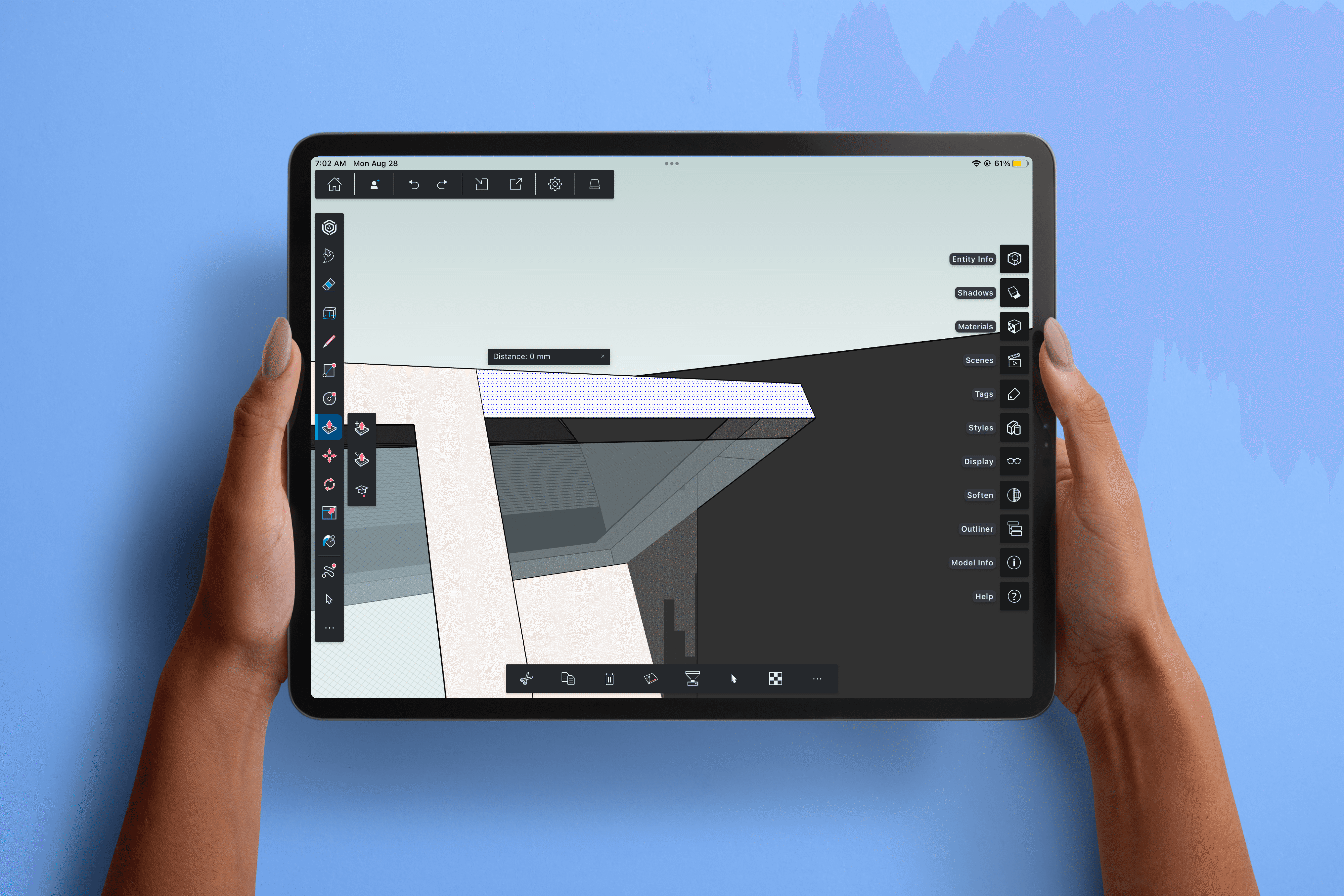
multimodal interactions for the iPad version of SketchUp that enables faster, intuitive 3D form exploration
problem
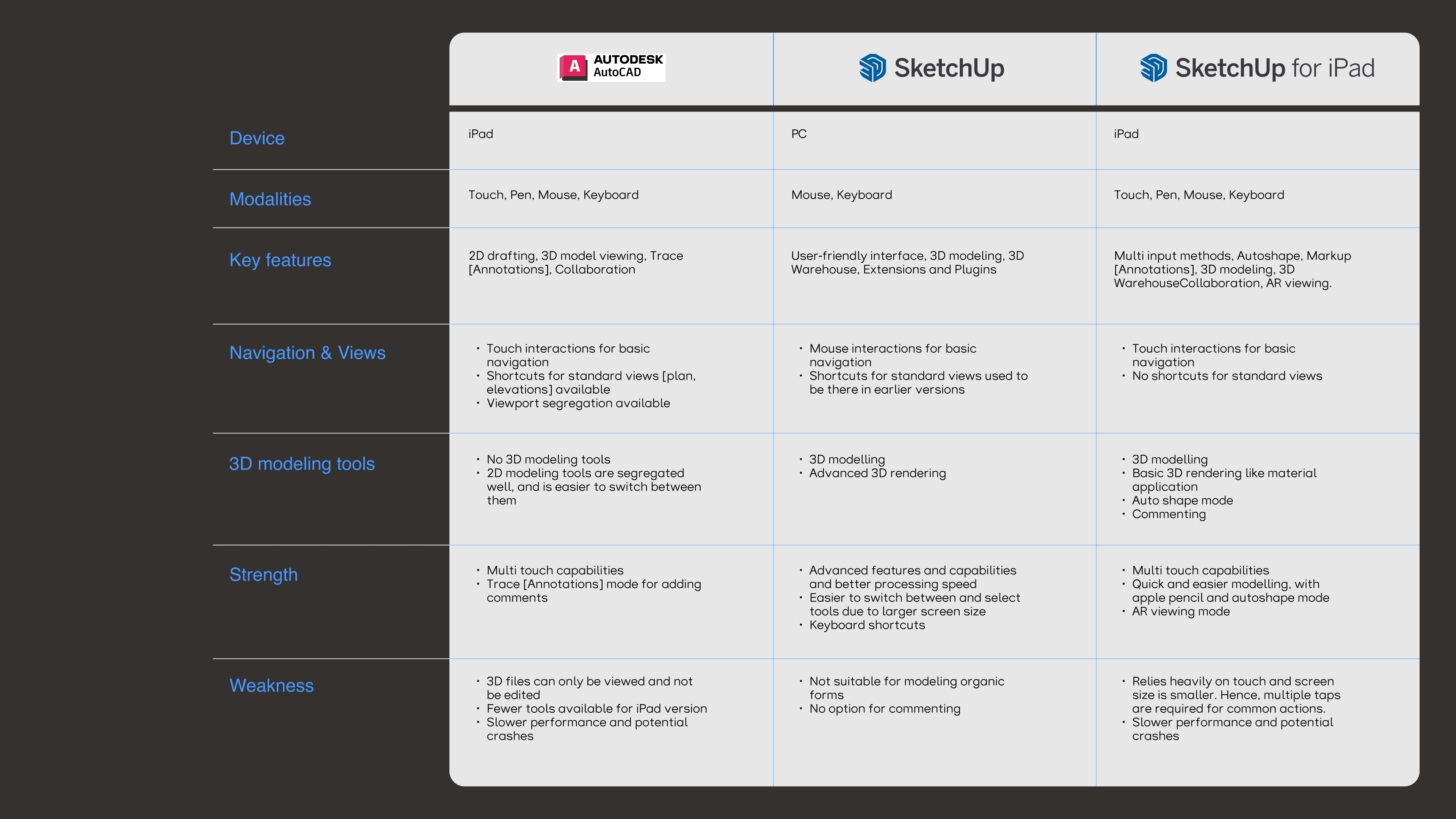
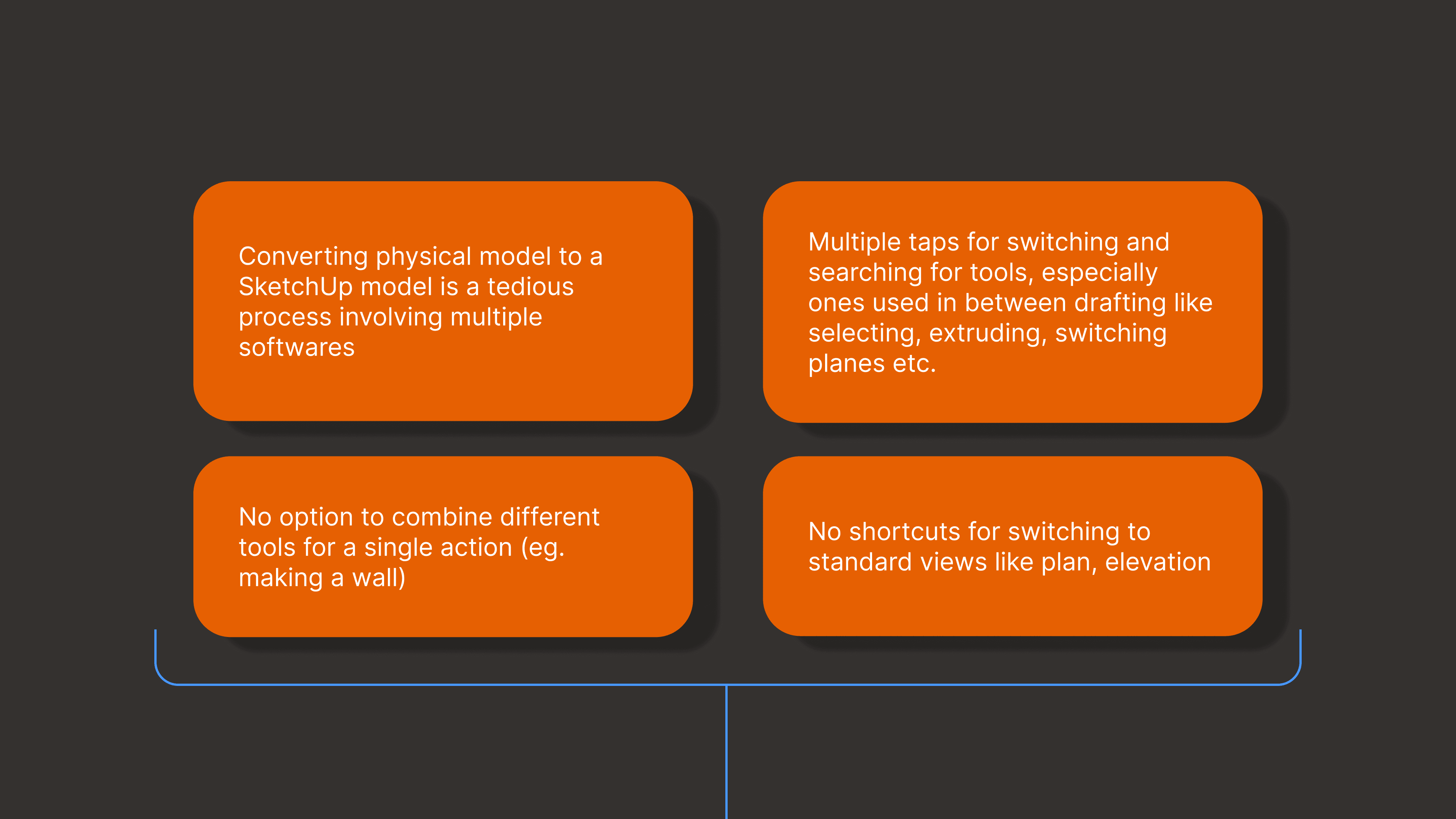
Architecture students and professionals who are accustomed to keyboard shortcuts on desktop versions of SketchUp face friction when transitioning to the iPad. Essential actions—such as switching standard views, selecting tools, changing drafting planes, or combining modeling steps—require multiple taps and menu navigation due to the absence of shortcut equivalents. This slows down the work, making the iPad experience feel less efficient despite its portability and touch interactions.
solution
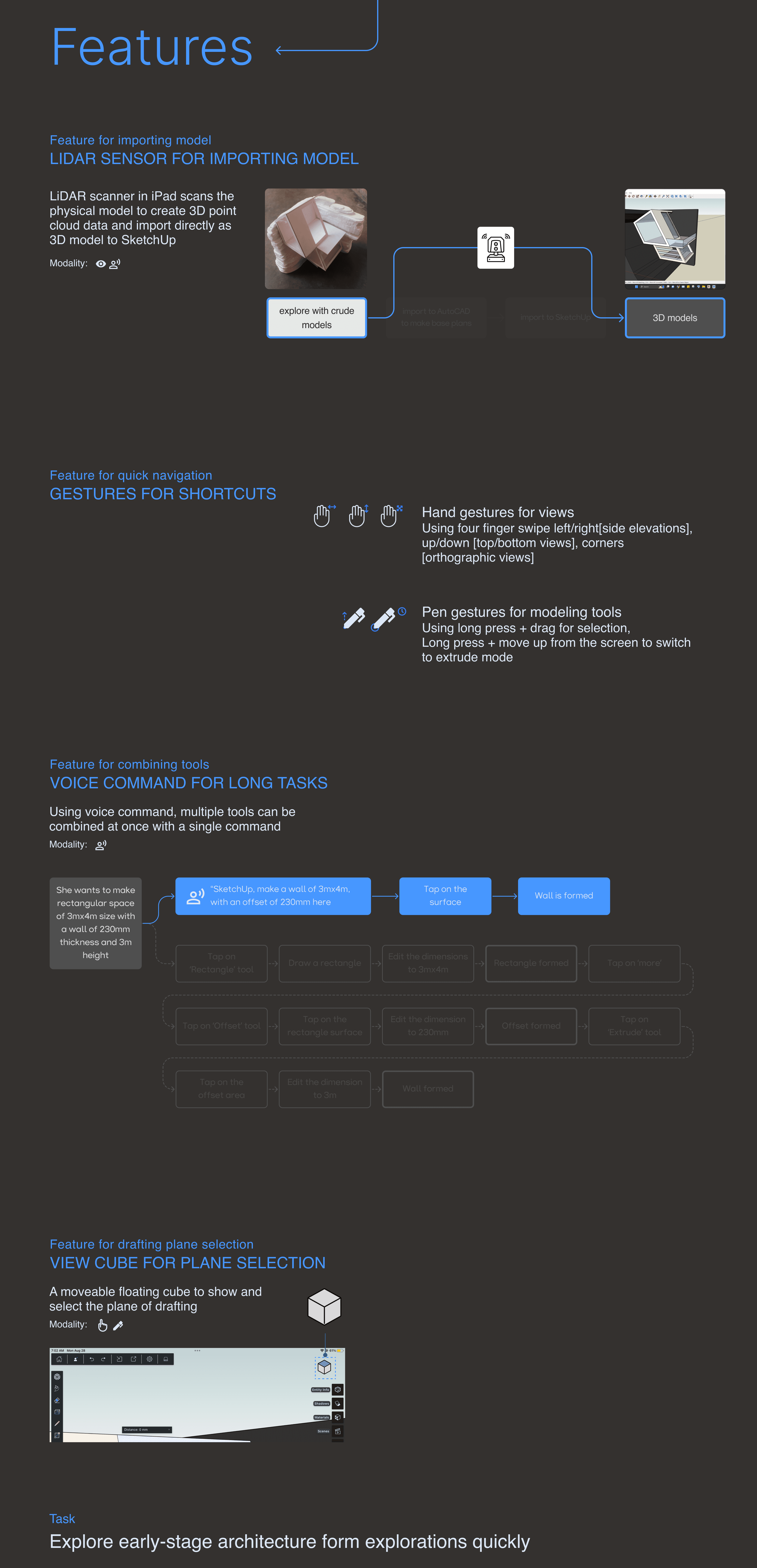
SketchUp reimagined for iPad preserves the speed of desktop workflows by translating familiar keyboard shortcuts into intuitive gestures, pen interactions, voice commands, and spatial controls. Frequent actions like view switching, plane selection, and multi-step modeling are streamlined into fluid, touch-first interactions, enabling fast and uninterrupted early-stage architectural form exploration.
SketchUp for iPad aims to enable designers and architects to make quick, fluid edits through intuitive multimodal interactions while bridging paper-and-pencil sketching with digital 3D modeling.
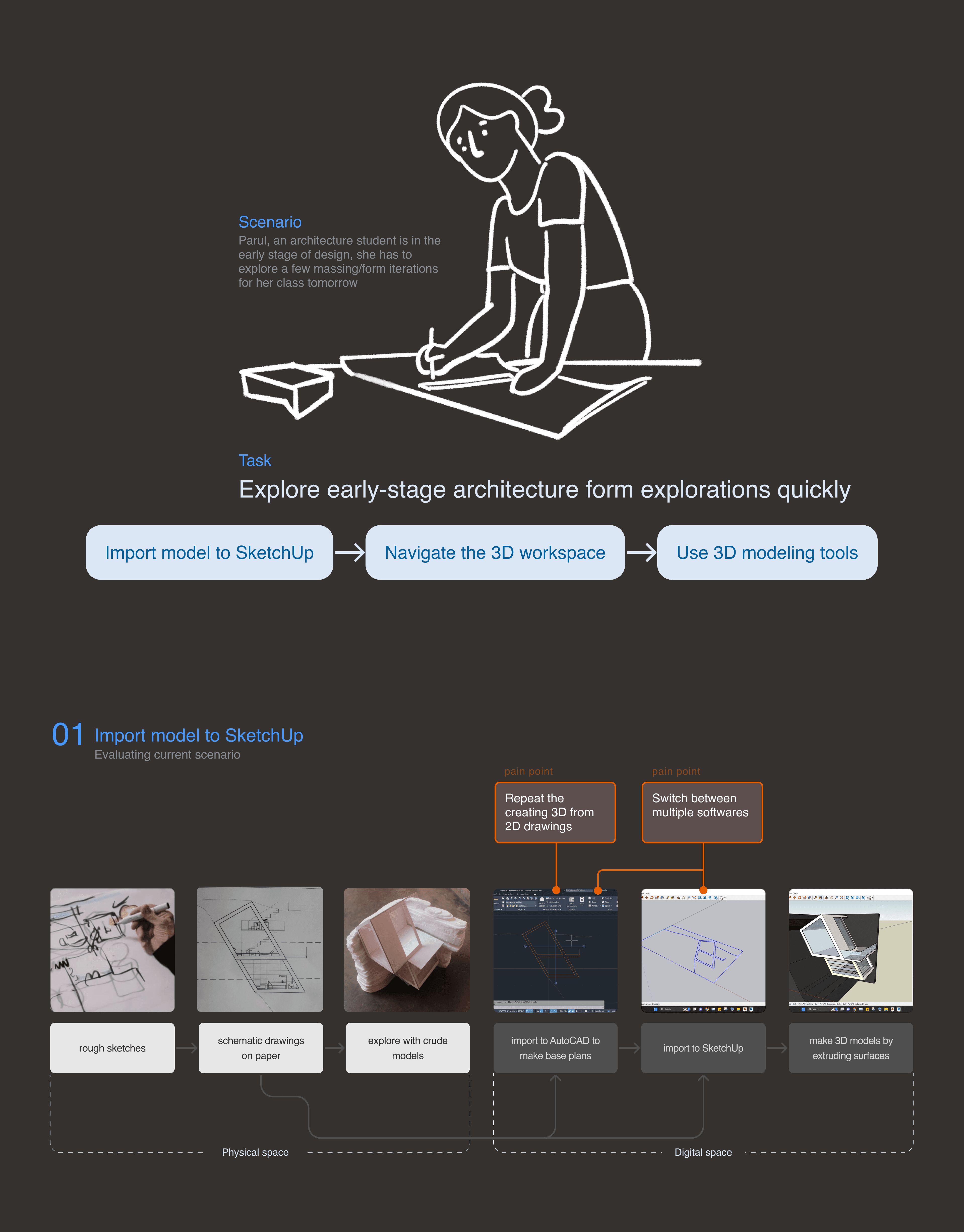
SketchUp is a widely used 3D modeling tool for architecture, interior design, and spatial design, valued for its simplicity and speed during early-stage form exploration. With the launch of SketchUp for iPad in 2022, the platform expanded to a tablet-based workflow, positioning the iPad as a bridge between paper-and-pencil sketching and digital 3D models. While the iPad version introduces direct manipulation through touch and pen, many designers transitioning from desktop workflows rely heavily on keyboard shortcuts for speed and efficiency.


see also